![[Complete Guide] How to Bulk Import Flashcards from Excel & CSV into PathMemoria](https://pathmemoria.tsmichi.com/blog/blog_usage_excel_hero.jpg)
Hello, I'm Taku. When mentoring students for entrance exams, certifications, and high school finals, I constantly hear: "Commercial flashcards don't cover my exact syllabus," and "I spend so much time hand-writing flashcards that I have no time left to actually study." Adult professionals preparing for TOEIC or bar exams face the same bottleneck.
By using Microsoft Excel or Google Sheets, you can type vocabulary lists at over ten times the speed of handwriting. However, many learners struggle when they realize they can only review their spreadsheets in front of a computer, with no easy way to quiz themselves effectively on their phones.
As highlighted by the U.S. Department of Education Digital Learning Guidelines, personalized self-study powered by digital tools is the ultimate modern study protocol. In this guide, I will share the exact spreadsheet setup rules and show you how to convert Excel spreadsheets into AI flashcards in just one second.
- •How to build custom vocabulary decks 10x faster using Excel and Google Sheets.
- •Flawless CSV export procedures to eliminate character encoding and formatting glitches.
- •Subject-specific column templates ready for language, history, and professional exams.
- •1-second drag-and-drop protocol to transform spreadsheets into AI spaced repetition decks.
3 Major Benefits of Custom Excel Flashcards and Fail-Proof Setup Steps
The primary purpose of creating flashcards in Excel is to slash preparation time down to nearly zero, maximizing the hours dedicated to active retrieval testing. Let's explore the core advantages over handwriting and establish standard format rules.
Handwriting is Obsolete! Cut Setup Time by 90% via PC Typing

Handwriting 1,000 paper flashcards takes over 15 to 20 hours of tedious manual labor. Regardless of how neat your handwriting is, copying words onto paper is merely passive transcription—it does not activate the neural pathways required for long-term retention.
In contrast, keyboard typing allows you to log hundreds of terms in under an hour. By copying and pasting term lists directly from syllabus guides and online glossaries, you reduce preparation time by over 90%. Reallocating these reclaimed hours entirely toward active recall quizzes is the decisive competitive edge of digital flashcards.
Split Front and Back! Master Column A & B Setup Rules

The architecture of an Excel flashcard spreadsheet is remarkably straightforward. As a golden rule, configure your file with just two primary columns: Column A = Front (Question / Term) and Column B = Back (Answer / Definition).
Place header labels (such as "Question" and "Answer") on Row 1, and input your study items sequentially starting on Row 2. Follow the "Atomic Principle": keep each card strictly focused on one singular prompt and one specific answer. Avoid merged cells or decorative formatting to ensure seamless automated import into mobile study apps.
Prevent Encoding Errors with Flawless CSV UTF-8 Export

When uploading spreadsheets into study apps, the most common issues are garbled characters (e.g., "????") and shifted columns. These issues stem entirely from selecting the wrong file format during export.
In Excel, navigate to File > Save As, and choose "CSV UTF-8 (Comma delimited) (*.csv)" from the file type dropdown. Saving with legacy ANSI/Shift-JIS encoding causes foreign accents and mathematical symbols to corrupt. If your definitions contain embedded commas, ensure the text is enclosed in double quotes.
Seamless Cloud Sync via Free Google Sheets Integration

If you do not have Microsoft Excel or prefer working on a Mac, Chromebook, or iPad, Google Sheets is completely free and exceptionally convenient.
Because Google Sheets operates in your web browser with continuous auto-save, you never have to worry about lost progress. Once your vocabulary list is ready, simply click File > Download > Comma-separated values (.csv) to immediately export a pristine UTF-8 CSV file ready for instant mobile upload.
Subject Templates for Vocab, History, and Professional Exams

Adapting your spreadsheet columns to match your exam's testing format drastically enhances retrieval speed. Here are proven templates you can copy directly:
| Subject / Goal | [Column A]Front (Question Prompt) | [Column B]Back (Answer & Context) | Key Best Practice |
|---|---|---|---|
| Foreign Languages | ubiquitous | present, appearing, or found everywhere | Include short example sentences in Column B |
| History & Social Studies | Year the Magna Carta was signed by King John of England? | 1215 (Established that everyone, even the king, is subject to the law) | Pair historical dates with their core significance |
| Biology & Science | Which organelle produces the highest yield of ATP during cellular respiration? | Mitochondria (via the electron transport chain on the inner membrane) | Frame the physiological role as the prompt |
| Law & Bar Exams | What are the 3 elements required to prove promissory estoppel? | 1. Clear promise, 2. Reasonable detrimental reliance, 3. Injustice avoidable only by enforcement | List legal requirements in numbered bullets in Column B |
Regardless of subject matter, formulate Column A prompts so that only one definitive answer exists. Vague prompts slow down active retrieval speed and hinder rapid testing.
📝 [Knowledge Check 1]Test Your Understanding!
[Question] What is the recommended file format when exporting flashcard lists from Excel to prevent text encoding corruption?
💡 Reveal Answer & Explanation
[Correct Answer] CSV UTF-8 (Comma delimited) (*.csv)
[Explanation] UTF-8 encoding universally supports international characters, accents, and special math symbols without corruption during automated upload.
From Excel to App! Convert Spreadsheets to AI Decks in 1 Second
Once your spreadsheet list is compiled, uploading it into a mobile spaced repetition app takes only a single second. Modern web apps eliminate manual card-by-card typing entirely.
Drag and Drop to Bulk Import 1,000 Flashcards Instantly
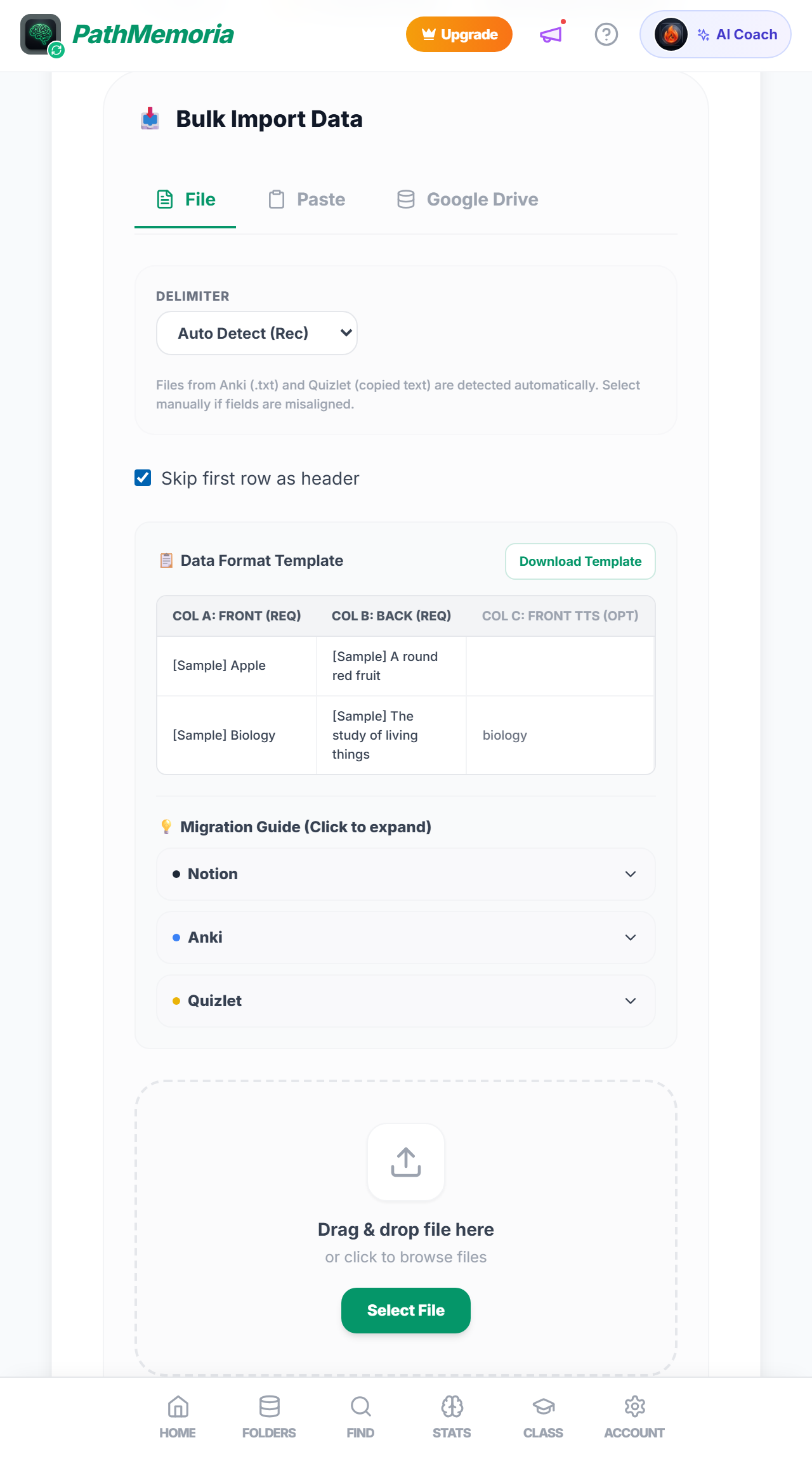
PathMemoria includes a native CSV Bulk Import engine built directly into its web and mobile interface.
Simply log in, tap "Create Deck," and drop your exported CSV file into the upload zone. Within one second, over 1,000 cards are parsed, validated, and generated with full preview controls. Your typing effort is immediately transformed into a high-performance active recall deck.
Automate Review Schedules with FSRS Forgetting Curve AI
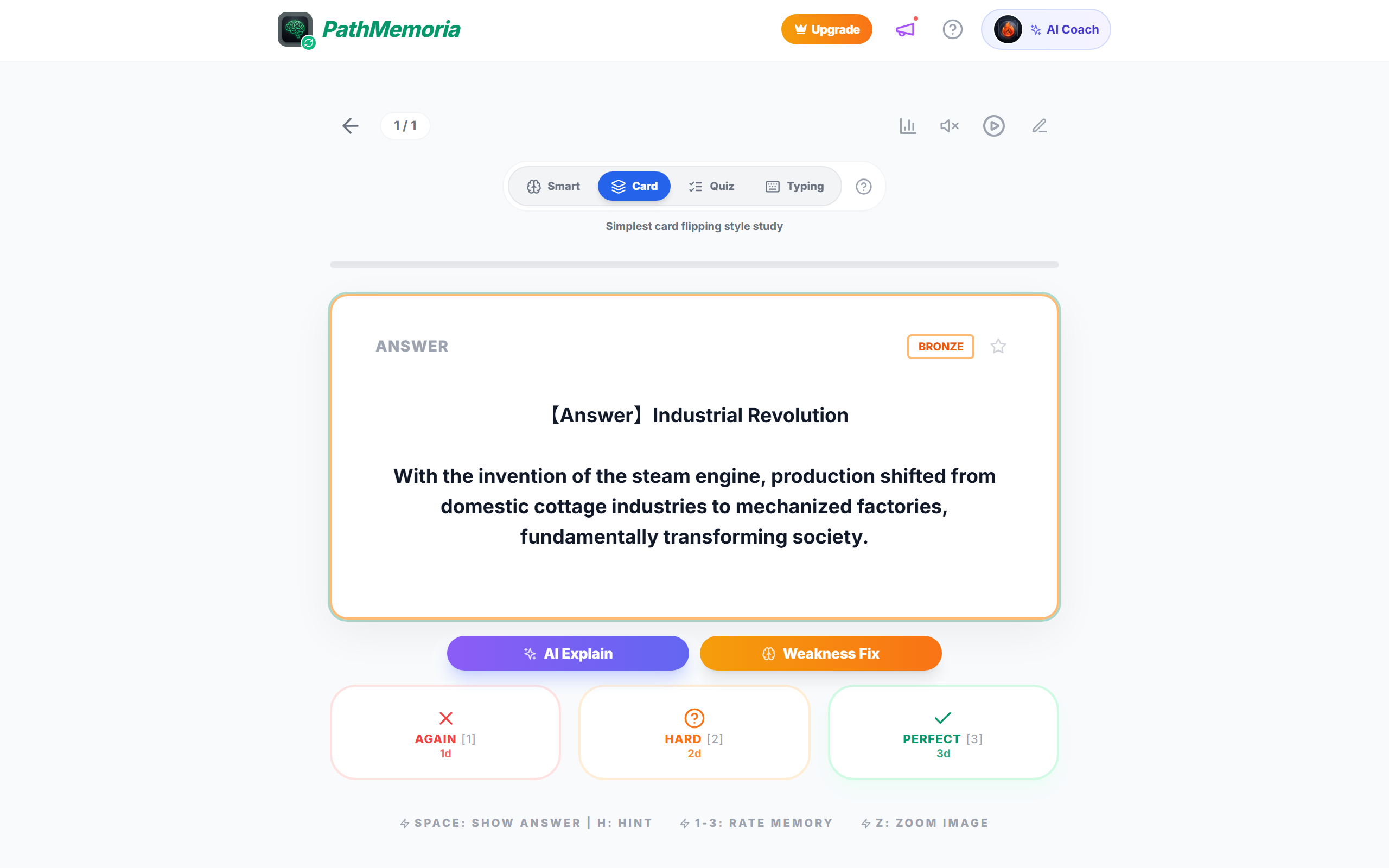
Studying directly from raw Excel spreadsheets causes severe inefficiency: you cannot easily determine which terms require immediate review versus those you have already mastered.
As confirmed by landmark cognitive science research in Science (Karpicke & Roediger, 2008), long-term retention requires retrieval practice scheduled right as memories begin to fade. PathMemoria's FSRS v6 algorithm automatically computes memory stability for every imported item, scheduling reviews at 1 day, 3 days, 1 week, and 1 month intervals without any manual planning on your part.
Hands-Free Audio Playback for Busy Commute Retention
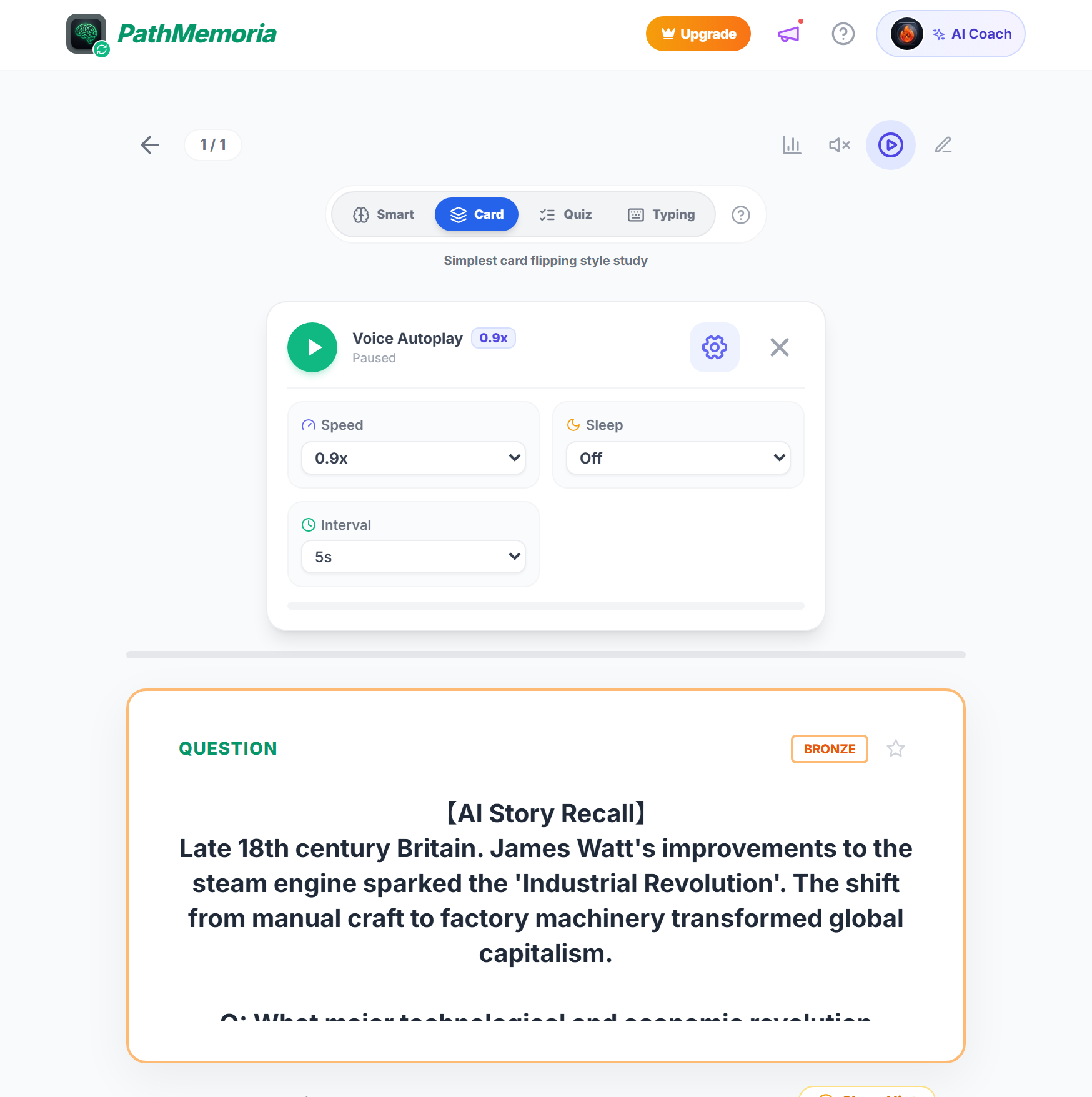
Even after creating extensive decks, busy schedules may leave little time to sit at a desk. PathMemoria's "Voice Autoplay" mode turns every commute into productive study time.
Supported by healthy habit research from the National Institutes of Health (NIH), maintaining consistent daily micro-study sessions reinforces memory. The app speaks the question, pauses for 2.5 seconds to let you mentally retrieve the answer, and speaks the solution—allowing you to complete 100+ retrieval trials while walking or riding the train.
Free Template Download! Launch Your Master Deck Today

To eliminate any setup friction, we provide free, pre-formatted Excel and Google Sheets templates optimized for PathMemoria import.
With Column A (Question) and Column B (Answer) configured out-of-the-box, simply enter your study notes and save as CSV UTF-8. Access the web app today on your PC or smartphone to experience zero-friction memorization.
📝 [Knowledge Check 2]App Integration Check!
[Question] What is the greatest advantage of importing an Excel vocabulary spreadsheet into an AI-powered study app?
💡 Reveal Answer & Explanation
[Correct Answer] The FSRS algorithm calculates precise memory decay curves, automatically queuing only the items due for review on your phone.
[Explanation] Automating review intervals eliminates scheduling overhead so you can devote 100% of your mental focus to active recall testing.
Summary: Cut Preparation Time to Zero with Excel & AI!

Creating your own flashcard decks is not about spending hours handwriting pretty notes—it is about minimizing preparation labor to maximize the frequency of active retrieval trials.
Type your notes efficiently in Excel or Google Sheets, drag-and-drop into PathMemoria in one second, and let cognitive science AI handle your review scheduling. Say goodbye to manual handwriting fatigue and achieve your dream exam score today!


![[2026 Guide] The Blurting Method: Skyrocket Memory Retention with Active Recall & AI](https://pathmemoria.tsmichi.com/blog/blurting_h3_tiktok_viral.jpg)